
티스토리 뷰
□ 스프링 및 톰캣 설치 및 실행
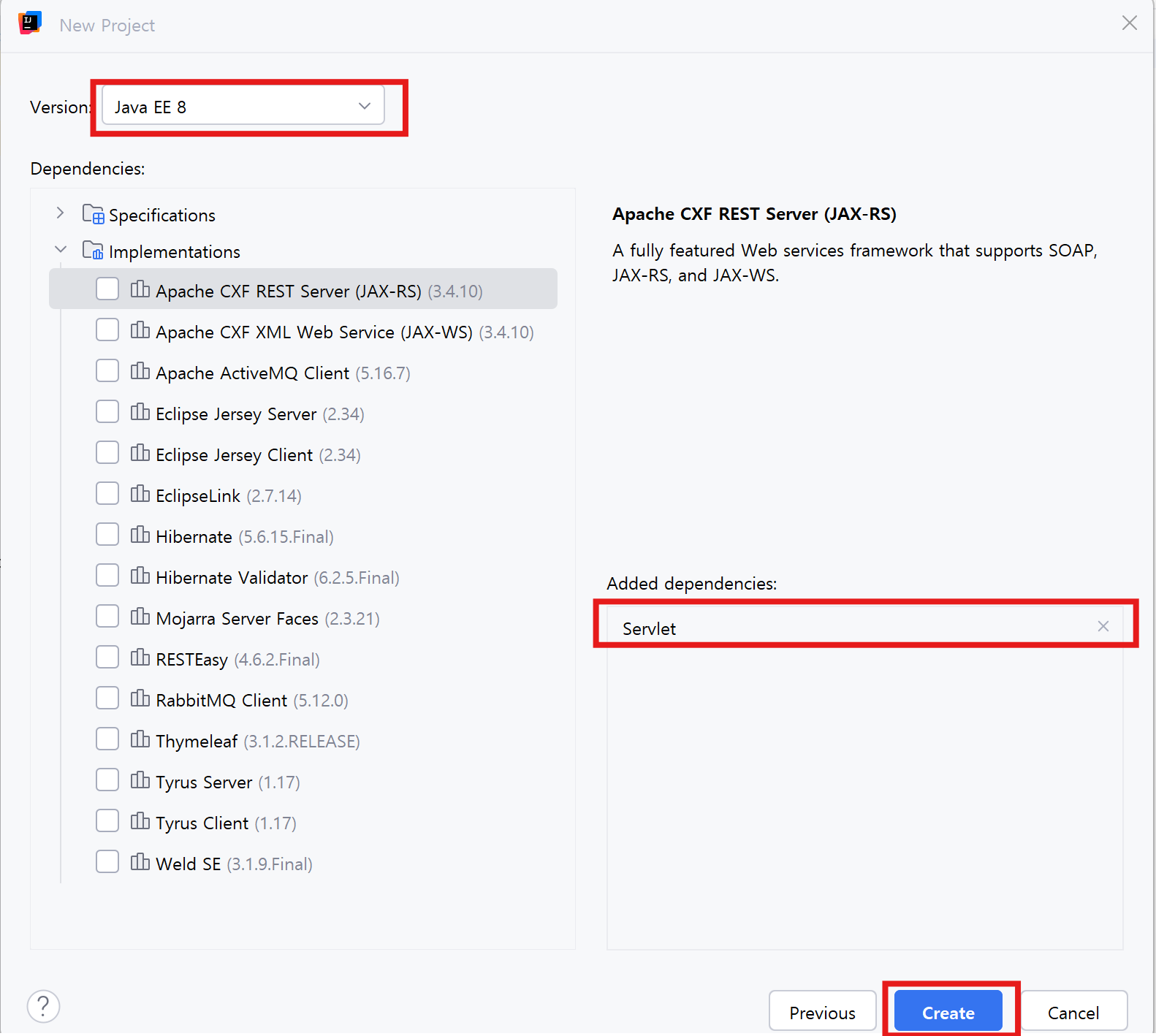
● 스프링 5.X 버전


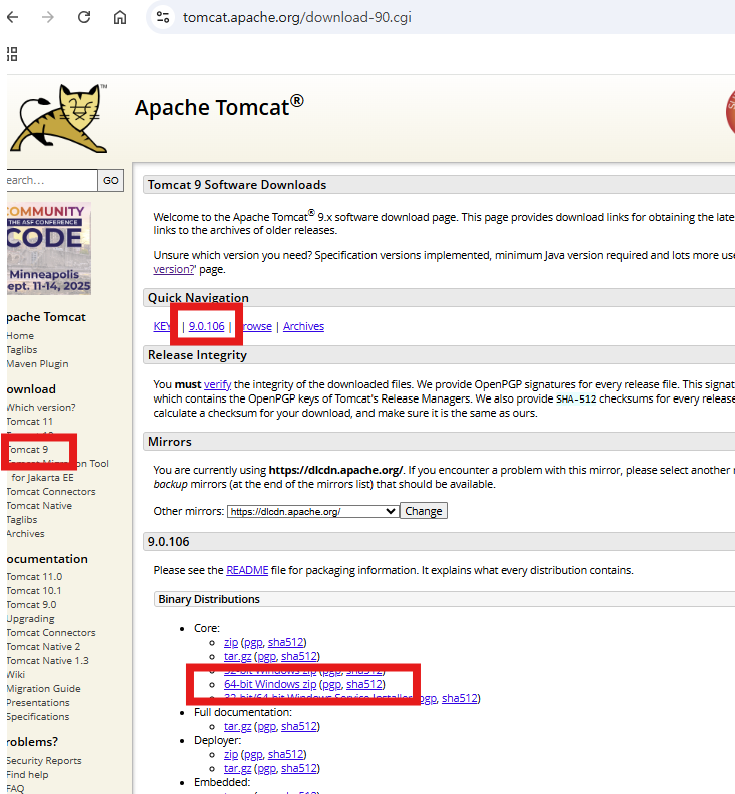
● 톰캣 9.0.X 버전
https://tomcat.apache.org/download-90.cgi
Apache Tomcat® - Apache Tomcat 9 Software Downloads
Welcome to the Apache Tomcat® 9.x software download page. This page provides download links for obtaining the latest version of Tomcat 9.0.x software, as well as links to the archives of older releases. Unsure which version you need? Specification version
tomcat.apache.org
● jdk 11
● Intellij IDEA Ultimate 버전
● MySQL 8.0.30 버전
1. 톰캣 다운로드 및 압축 풀기
2. 인텔리j 얼티밋 버전 실행
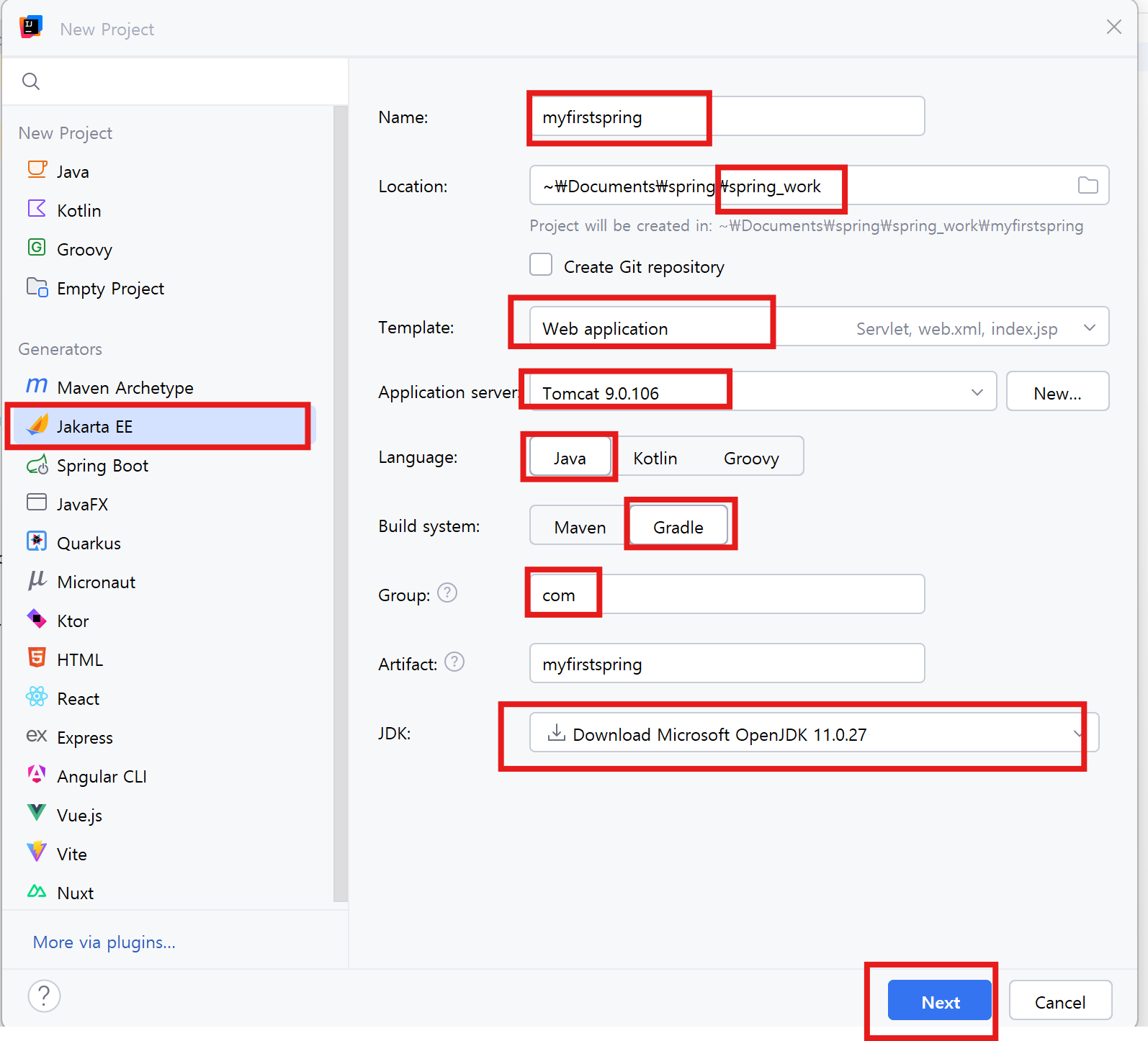
Jakarta EE 선택
Name : myfirstspring
Location : spring / spring_workspace
Template : Web application
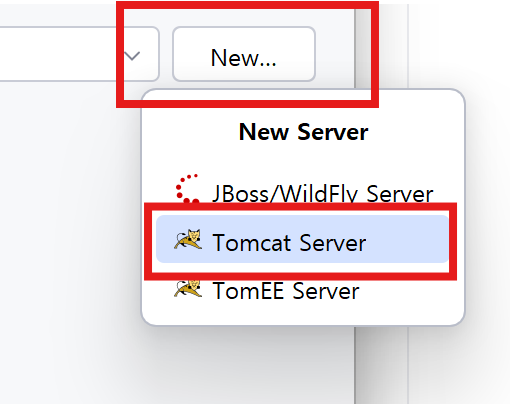
Application : Tomcat 9.0.X
Language : java
Build system : Gradle
Group : com
Artifact : myfirstspring
JDK : 21 Oracle OpenJDK 11.0.27
● 실행


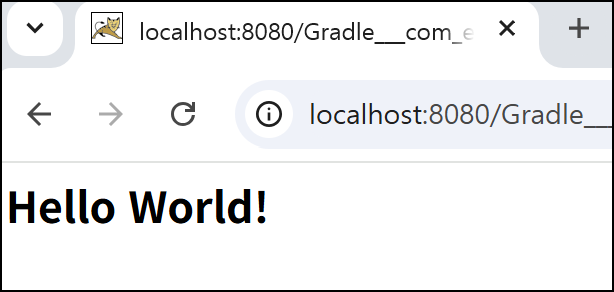
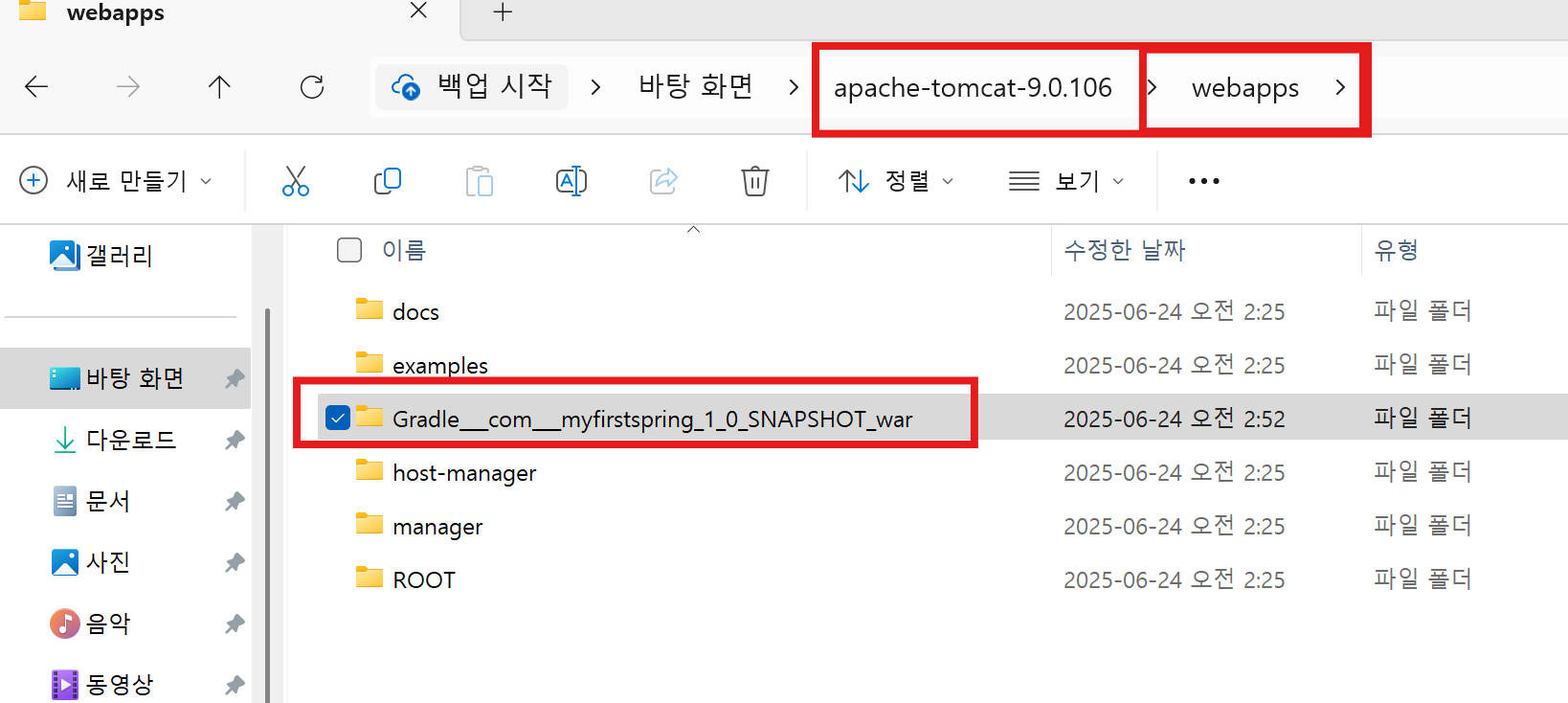
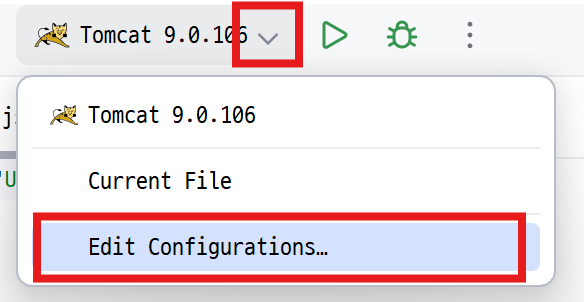
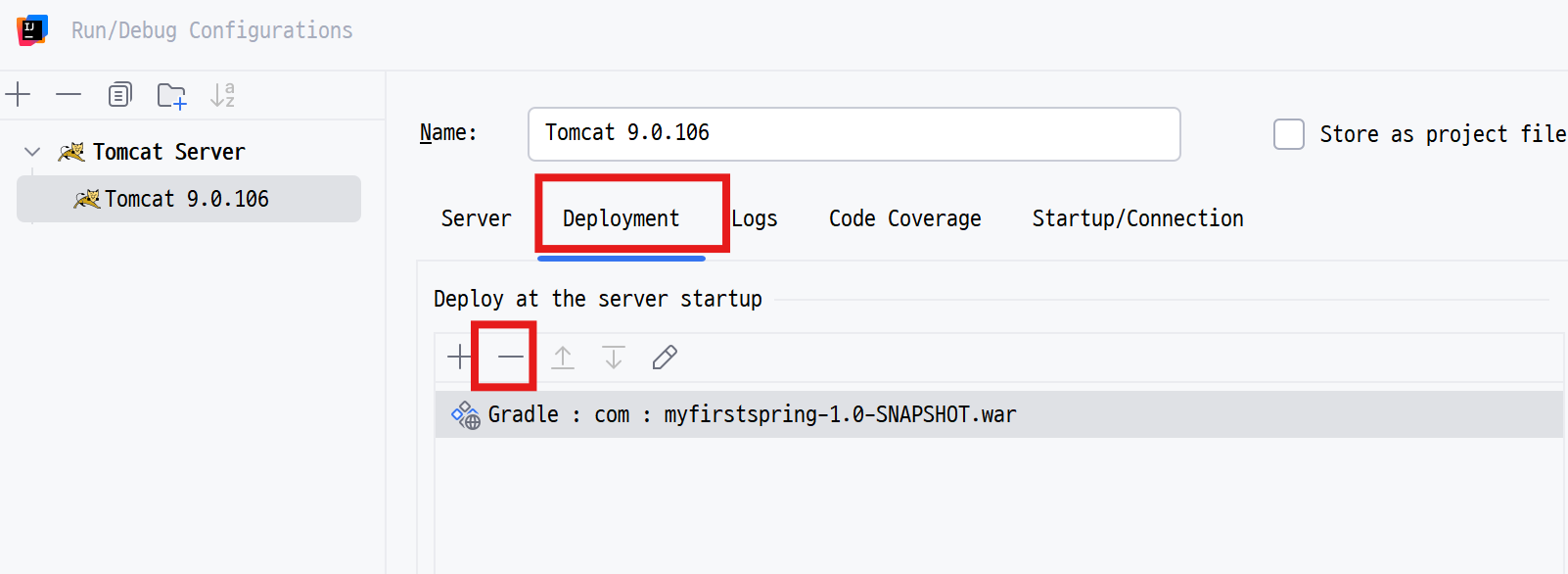
● 톰캣 폴더 /webapps → 배포된 파일 삭제

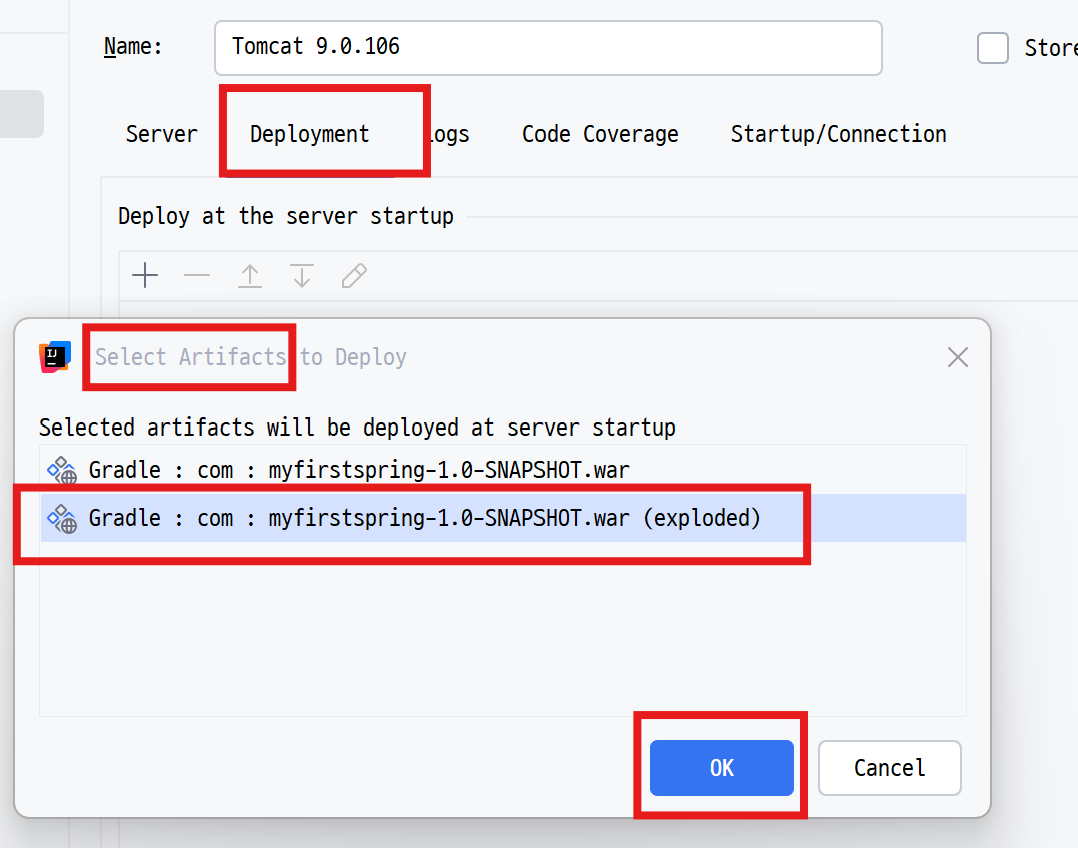
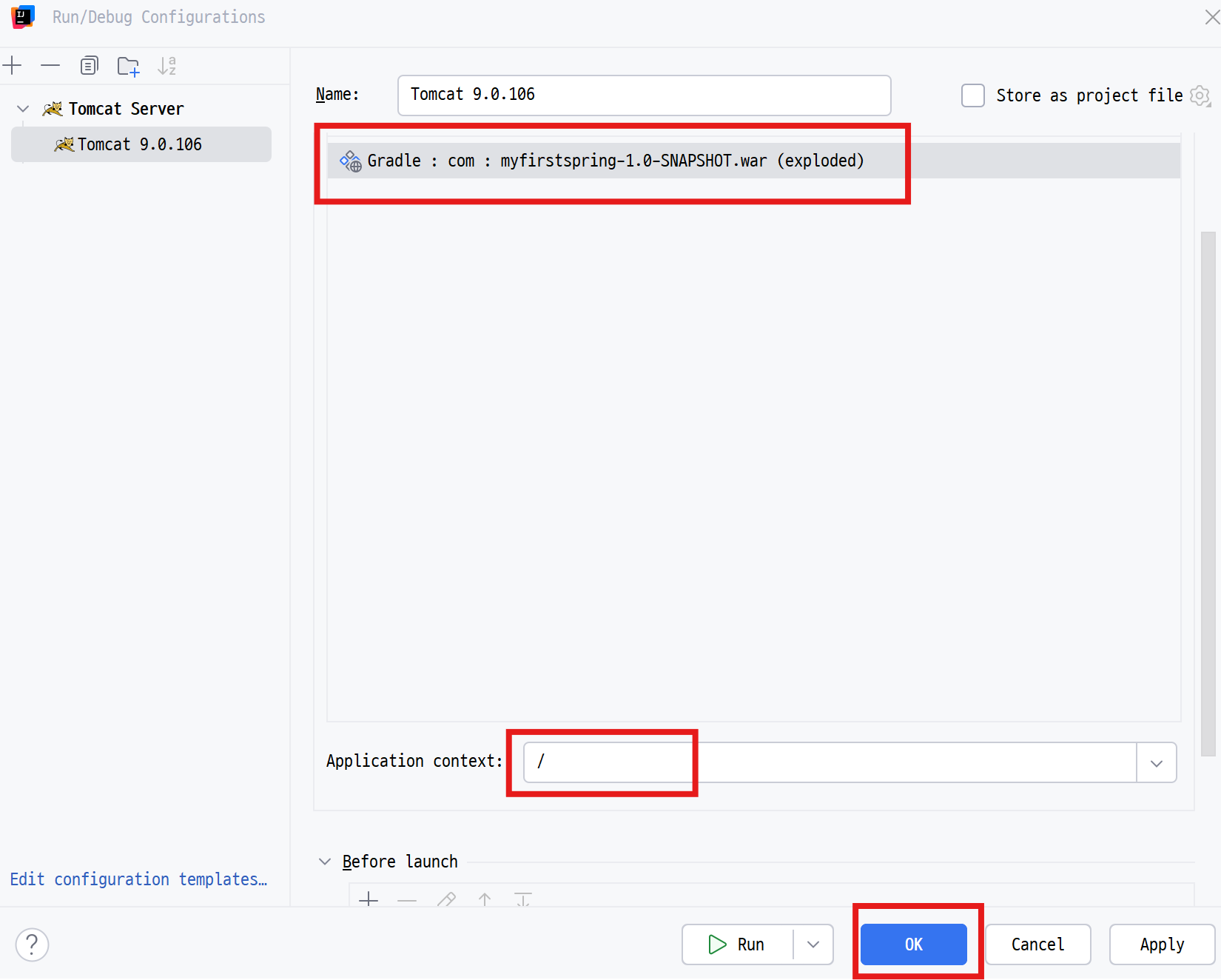
□ spring 설정
● 톰캣 실행 종료
● File - Settings

● Maven Repository
https://mvnrepository.com/artifact/org.springframework/spring-core/5.3.20
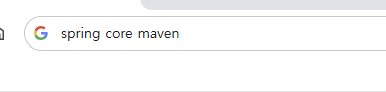
● 5버전대에서 취약점이 없고 사람들이 가장 많이 찾은 버전으로 선택

● build.gradle
plugins {
    id 'java'
    id 'war'
}

group 'com'
version '1.0-SNAPSHOT'

repositories {
    mavenCentral()
}

ext {
    junitVersion = '5.10.2'
}

sourceCompatibility = '1.8'
targetCompatibility = '1.8'

tasks.withType(JavaCompile) {
    options.encoding = 'UTF-8'
}

dependencies {
    compileOnly('javax.servlet:javax.servlet-api:4.0.1')

    testImplementation("org.junit.jupiter:junit-jupiter-api:${junitVersion}")
    testRuntimeOnly("org.junit.jupiter:junit-jupiter-engine:${junitVersion}")

    //스프링
    implementation("org.springframework:spring-core:5.3.20")
    implementation("org.springframework:spring-context:5.3.20")

    implementation("org.springframework:spring-webmvc:5.3.20")
    implementation("org.springframework:spring-test:5.3.20")

    //롬복
    compileOnly("org.projectlombok:lombok:1.18.24")
    testImplementation("org.projectlombok:lombok:1.18.24")

    annotationProcessor("org.projectlombok:lombok:1.18.24")
    testAnnotationProcessor("org.projectlombok:lombok:1.18.24")

// https://mvnrepository.com/artifact/mysql/mysql-connector-java
    implementation("mysql:mysql-connector-java:8.0.30")

    implementation ("org.apache.logging.log4j:log4j-api:2.22.1")
    implementation ("org.apache.logging.log4j:log4j-core:2.22.1")
    implementation ("org.apache.logging.log4j:log4j-slf4j-impl:2.22.1")


}

test {
    useJUnitPlatform()
}
● 스프링 XML 설정(Configuration) 파일 만들기

○ webapp / WEB-INF / spring /root-context.xml
■ 서비스, DAO, 트랜잭션 등 공통 비즈니스 로직 빈 등록
○webapp / WEB-INF / spring / servlet-context.xml
■ 컨트롤러, 뷰 리졸버, 핸들러 매칭 등 웹계층 빈 등록
● webapp / WEB-INF /web.xml
<?xml version="1.0" encoding="UTF-8"?>
<web-app xmlns="http://xmlns.jcp.org/xml/ns/javaee"
         xmlns:xsi="http://www.w3.org/2001/XMLSchema-instance"
         xsi:schemaLocation="http://xmlns.jcp.org/xml/ns/javaee http://xmlns.jcp.org/xml/ns/javaee/web-app_4_0.xsd"
         version="4.0">
<!--  톰캣 실행시 스프링 함께 실행되도록 설정  -->
    <listener>
        <listener-class>org.springframework.web.context.ContextLoaderListener</listener-class>
    </listener>

    <context-param>
        <param-name>contextConfigLocation</param-name>
        <param-value>WEB-INF/spring/root-contex.xml</param-value>
    </context-param>

    <servlet>
        <servlet-name>appServlet</servlet-name>
        <servlet-class>org.springframework.web.servlet.DispatcherServlet</servlet-class>
        <init-param>
            <param-name>contextConfigLocation</param-name>
            <param-value>WEB-INF/spring/servlet-context.xml</param-value>
        </init-param>
        <load-on-startup>1</load-on-startup>
    </servlet>
    <servlet-mapping>
        <servlet-name>appServlet</servlet-name>
        <url-pattern>/</url-pattern>
    </servlet-mapping>
</web-app>
'Back-End Programming > Spring' 카테고리의 다른 글
| Mybatis 설정 (0) | 2025.06.25 |
|---|---|
| HikariCP 설정 (0) | 2025.06.24 |
| 데이터베이스 연결 (0) | 2025.06.24 |
| 의존성 주입(DI) (0) | 2025.06.24 |
| Log4j2 설정 (0) | 2025.06.24 |